
Module 2: Collaborate to Automate Any System
Overview
Audrey is excited with her accomplishment in Composer to improve an otherwise manual task. She recognizes, however, that beyond Salesforce Health Cloud, the patient information needs to be entered or updated in their EMR; a stubborn, legacy application called Open Hospital.

Audrey sees there is no connector for Open Hospital in Composer and is told by the Application Owner that it does not have any APIs to offer an integration solution. This means she will still need to enter patient data manually. Fun!
Audrey is still determined to find a way to automate this process end-to-end, so she can spend her time serving patients.
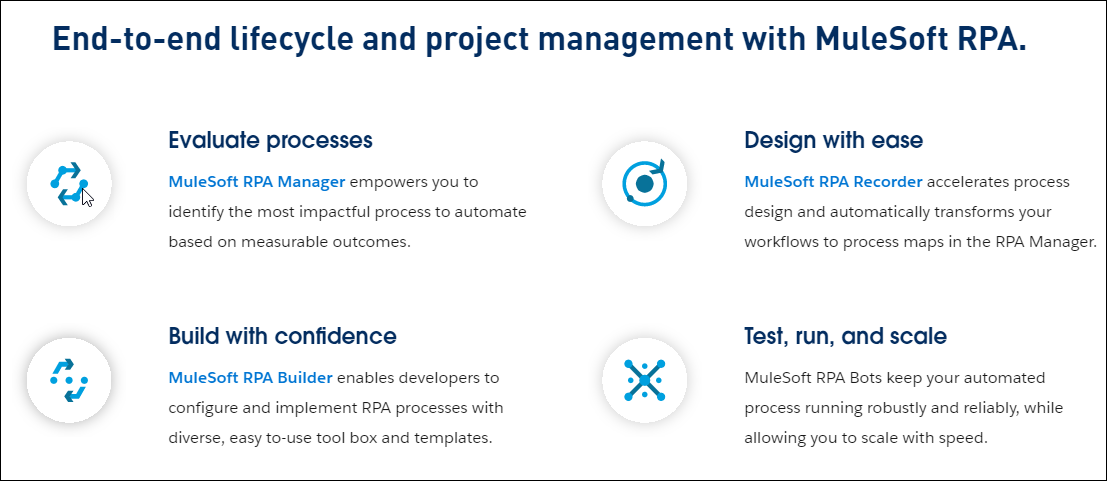
Audrey approaches Steven to get his thoughts. To her pleasant surprise, Steven introduces her to MuleSoft RPA - a way to automate those disconnected, legacy apps and data sources.
Steven asks Audrey to start with creating a Process Evaluation in RPA Manager to ensure the use-case is a good fit for RPA.

He provisions a user account for Audrey, and provides an Evaluation Template to fill in the use-case details. Don’t worry about what an Evaluation Template is for now - this is just a faster way to send Audrey a standard form to evaluate the process.
Once the process has been evaluated, we’ll be off to a fast start! Audrey and Steven will continue to collaborate through the RPA lifecycle to Design, Build, Test and Run the process in production.
The labs in this unit are:
Please proceed to Lab 1