
API-Led Automation (Instructor-led Demo)
Your instructor will walk through the steps to add the RPA Process into the COmposer Flow that was previously run in this workshop. Follow-along here to review the steps.
Add the RPA Process to the Composer Flow
-
Open the Composer Flow
-
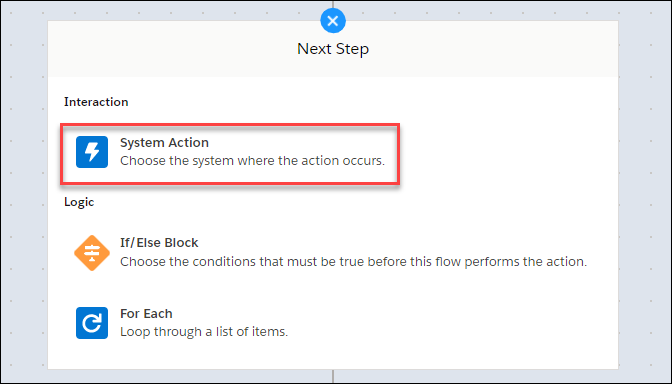
Click the icon to add a new step after the trigger and select system action
-
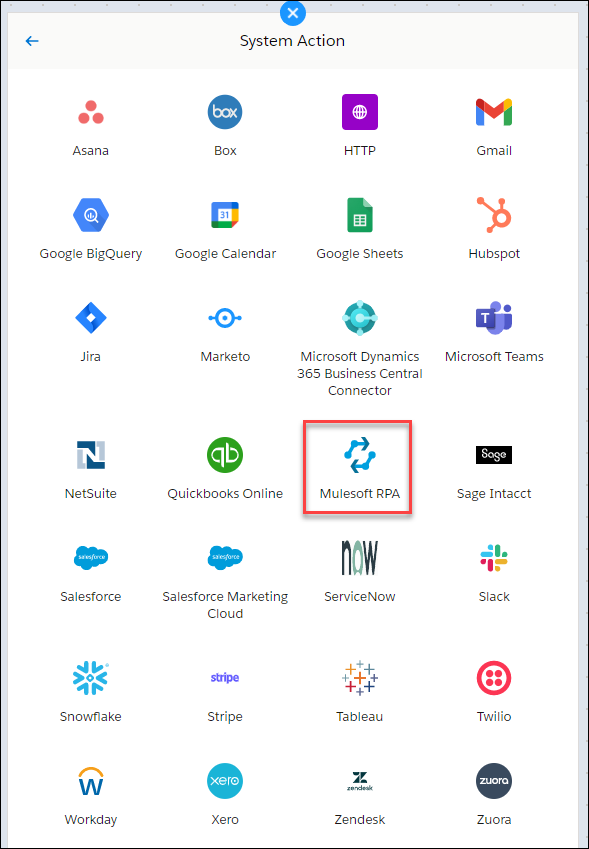
Select Mulesoft RPA
-
Use an existing connection or add new connection
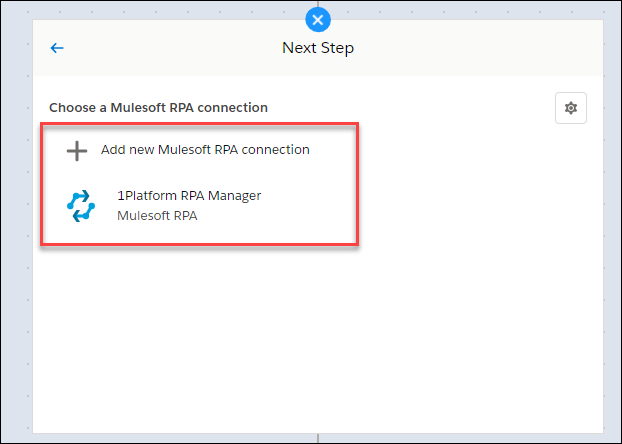
Note: There is no available connection in the HLS Automation Composer instance and you have not been provided an API Key to create a new connection. This exercise and these documented steps are intended to help follow-along the instructor demo only.
-
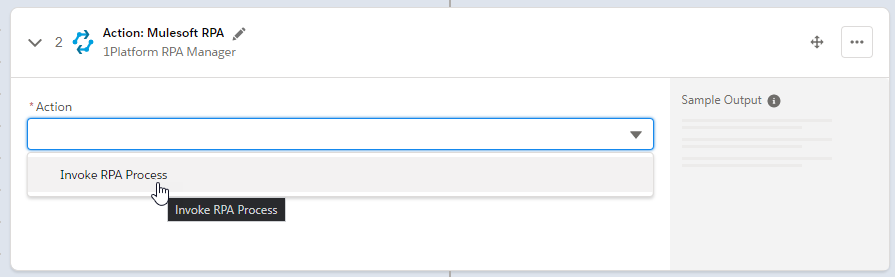
Select Invoke RPA Process
-
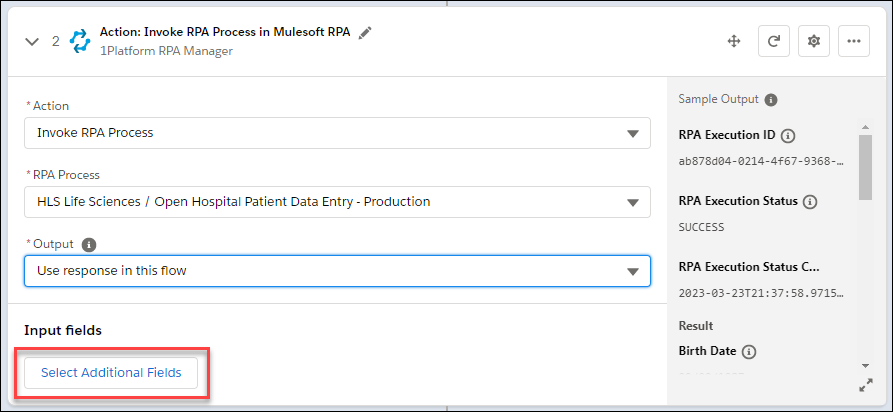
Select the RPA Process to invoke and Use response in this flow. Then Select Additional Fields.
-
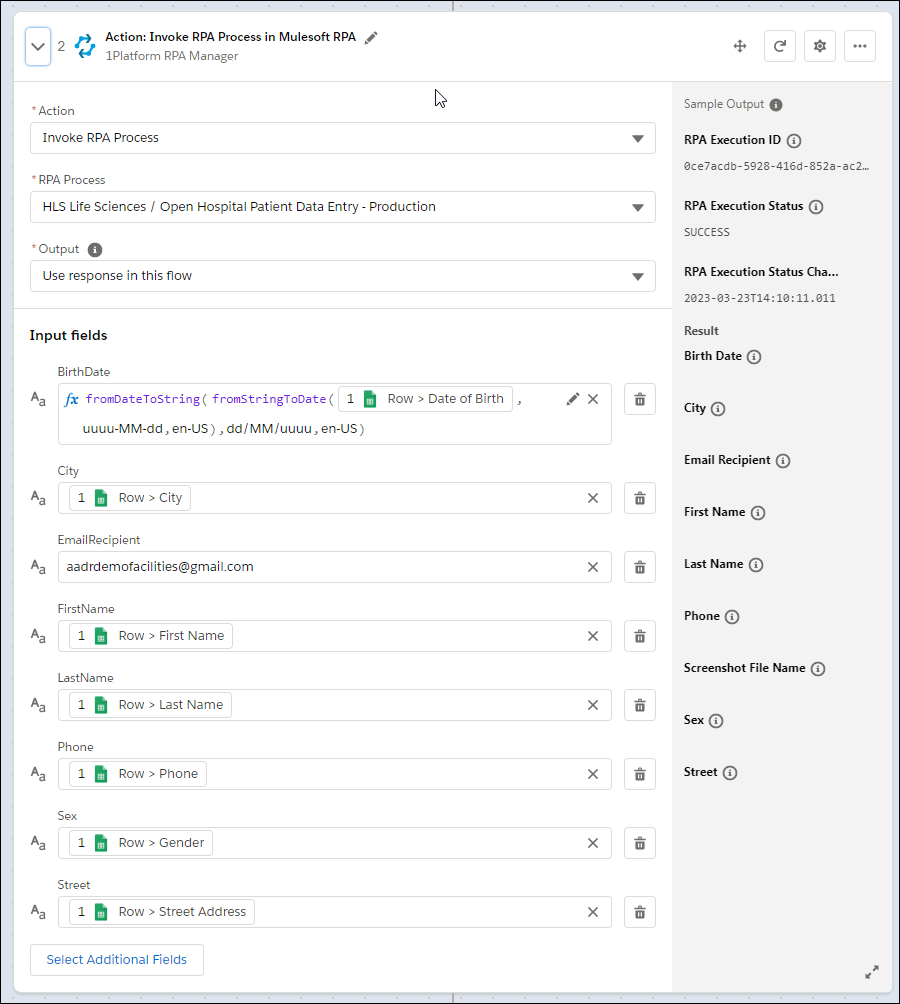
Select the fields depicted below and fill in the data with the data pills from the Google Sheets trigger, similar to the Salesforce Create Record step.
Test the End-to-End Automation
Your instructor will show the test running live.
-
Click Test and insert another form response in the Google Form
-
Once the trigger has been caught by Composer, notice how the RPA Process kicks off on the virtual machine! Composer invokes the RPA Process to enter data in Open Hospital, and immeditaely afterward orchestrates muliple API connectors to complete the automation.
Summary
Eureka! Our end-to-end process has been completely automated with the help of an advanced, hyper-automation approach. This approach leverages pre-built API connectors and Robotic Process Automation in a single orchestrated automation. These assets are seamlessly connected together through an invokable framework in Mulesoft’s Anypoint Exchange, that enables publishing composable automation assets to be re-used across the organization.
What’s equally important is that Audrey, our Patient Services Specialist with no technical background, was able contribute in building much of this automation, as well as collaborate with Steven to properly define and even design the RPA process. This collaboration helps speed up delivery and scale the impact of automation across Makana Health.

Now, with our automation activated and always listening for those new patient forms, Audrey can get back to doing what she does best - serving patients.

And Steven can rest easy knowing he and his IT team can monitor these solutions, their impact on the business and that his team need not be a bottleneck to further innovation!